01writing
Write first, sync later
A memo written in airplane mode looks like any other memo, marked with a small queued dot. When there is signal the queue drains in order: files, then the note itself.
saves offlinedrains later
Android · Memos · Offline first
MyMemos keeps a self-hosted Memos library on your phone: every note, the pictures and files it carries, the comment thread under it. Search, tags, checkboxes and writing all happen on the device — the server is where memos are backed up and shared, not where they live.
2.2 MB Android 8.0+ Free & open source No Google services
01
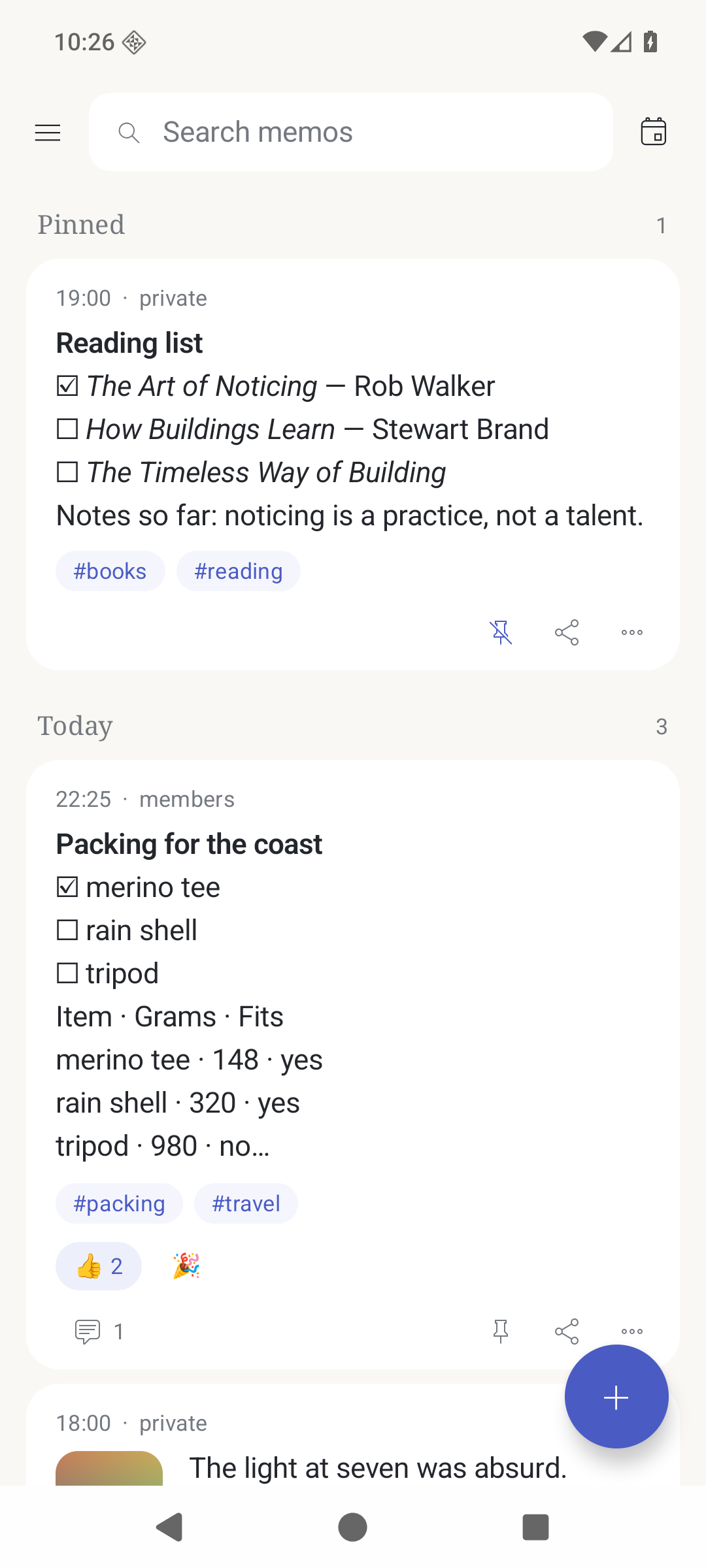
After the first sync every memo is in local SQLite. The feed, the search, the tags and the day groups never wait on a request.
02
A new memo, an edit, a comment, a picture or a ticked checkbox is saved on the phone at once and replayed when there is a network.
03
No Play Services, no Firebase, no Google account. Background sync falls back to the platform scheduler on de-Googled ROMs.
What it does
A memo written in airplane mode looks like any other memo, marked with a small queued dot. When there is signal the queue drains in order: files, then the note itself.
saves offlinedrains later
Share a link, a paragraph, a photo or any file and pick MyMemos: the composer opens with the payload already in it. Long-press the launcher icon for a new memo or your four most-written tags.
share sheettag shortcuts
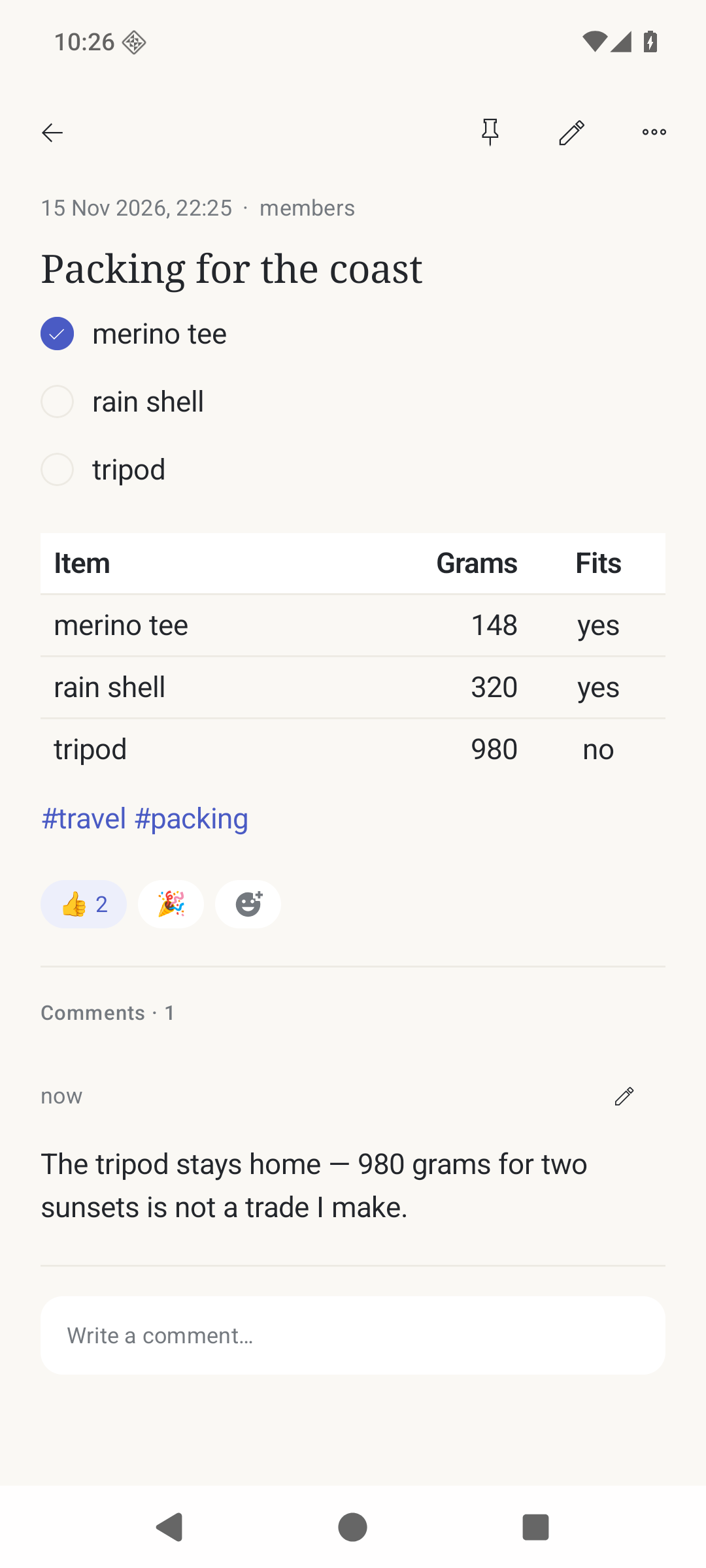
Each sync copies every attachment and every comment thread the server has, not just the text. A memo reads the same in a plane as it does on the sofa.
filesthreads
Always-visible search over content and tags, a date filter with presets and a range, and every tag with its count — tags and dates combine as AND.
local searchtag chips
Task lists render as real checkboxes. Tapping one rewrites the line and syncs, so a list stays a list in the web UI too — and a completed row can step aside.
tap to tickcompleted at the bottom
Share link mints or reuses a Memos share token and sends the address; share text sends the markdown and works offline. Every share also lands in the Android share sheet.
share linksworks offline
The look
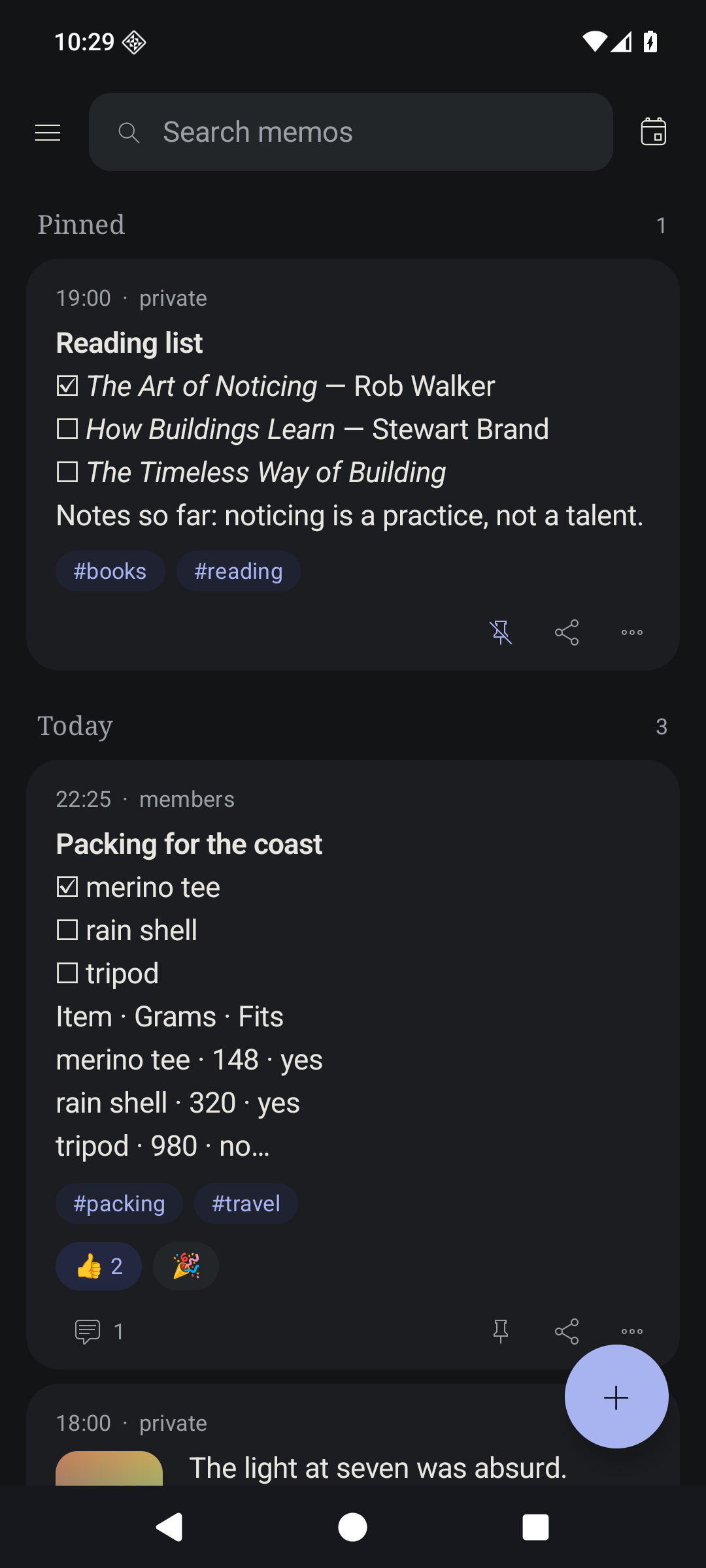
A memo is a thing you can hold: a white card with soft corners on a warm paper background, an indigo accent used only for state — links, the selected chip, a ticked box, the queued dot.
The body is the platform sans because it is your text; the serif is reserved for display sizes and day headers. Nothing is uppercase, nothing is monospace, and there is no motion beyond the panel slide and the composer sheet.
Get it
Android 8.0 or newer and a reachable Memos 26.x instance — that is the whole requirement list. Free software, no sign-up, no subscription.